Platform Catalogue
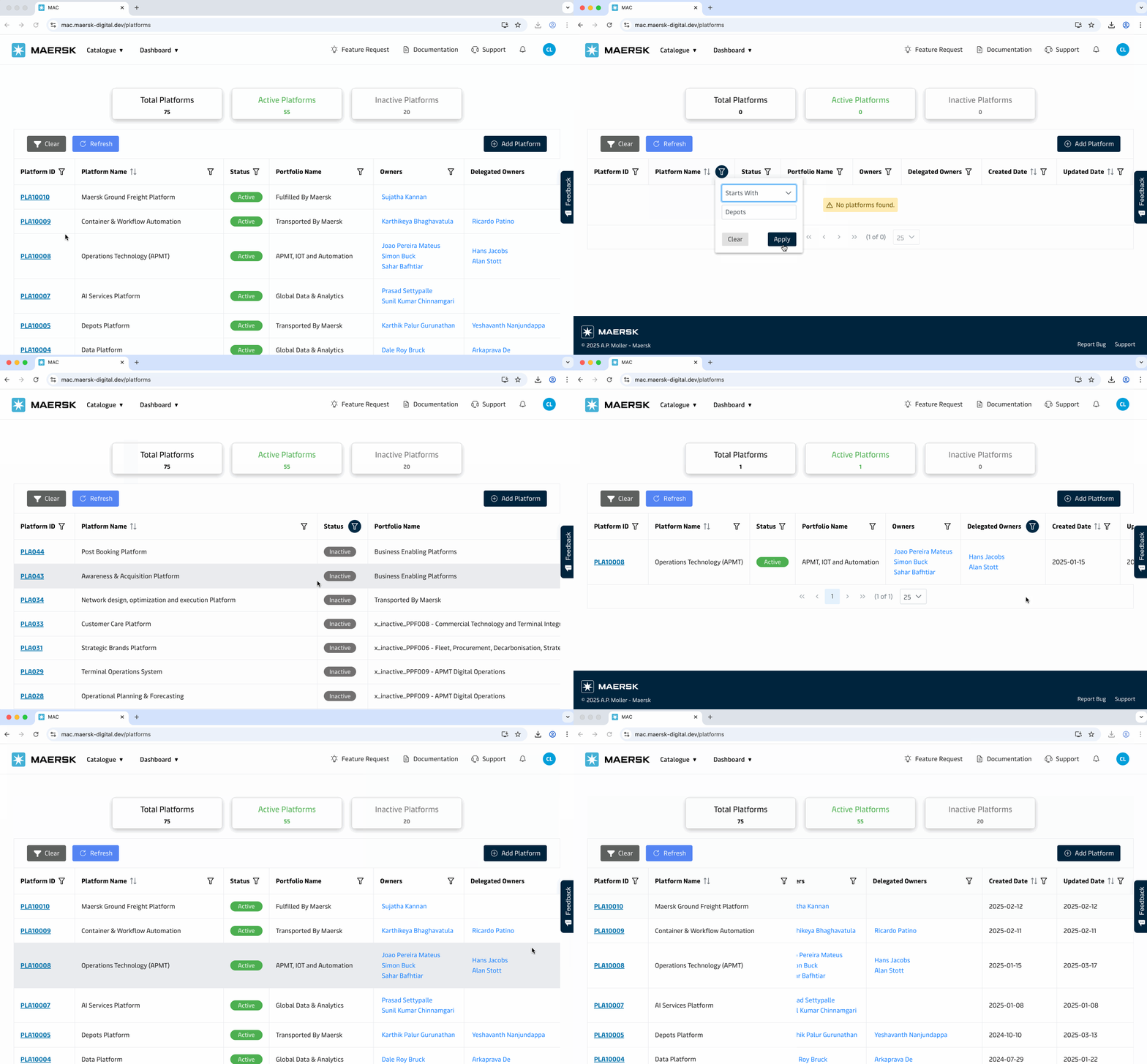
The Platform Catalogue page provides a comprehensive overview of all platforms in the MAC (Maersk Application Catalogue) system. This catalogue helps users organize, manage, and maintain metadata associated with platforms, their owners across the organization.
Platforms Metrics
| Metrics | Description |
|---|---|
| Total Platforms | Displays the total number of active platforms. |
| Active Platforms | Count of platforms currently marked as "Active". |
| Inactive Platforms | Count of platforms marked as "Inactive". |
Platform Table
The main table by default presents detailed records of all Active Platforms.
| Column | Filterable | Sortable |
|---|---|---|
| Platform ID | ✅ | ❌ |
| Platform Name | ✅ | ✅ |
| Status | ✅ | ❌ |
| Portfolio Name | ✅ | ❌ |
| Owners | ✅ | ❌ |
| Delegated Owners | ✅ | ❌ |
| Created Date | ✅ | ✅ |
| Updated Date | ✅ | ✅ |
Table Features
- Filter Icons: Apply filters on each column.
- Sorting: Sort data by clicking on column headers.
Actions
| Action | Description |
|---|---|
| Add Platform | Allow user to onboard a new platform. |
| Refresh | Reloads the platform data with applied filter. |
| Clear | Resets all applied filters. |