Aug22-2025
Sprint 31 Release Document
Highlights
1. Improve User Experience
-
Login User as Default Owner
Automatically set the logged-in user as the default application owner when creating a new app.
Users can still add or replace owners as needed.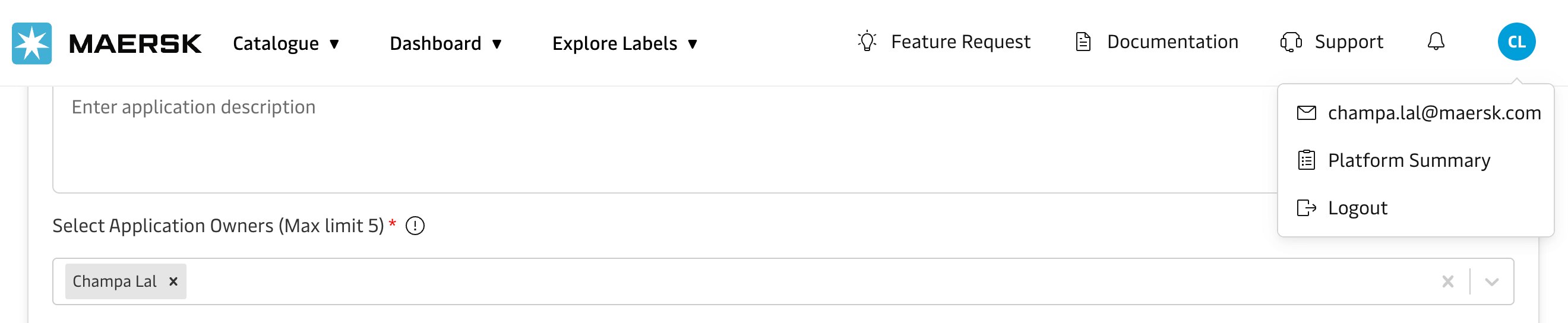
-
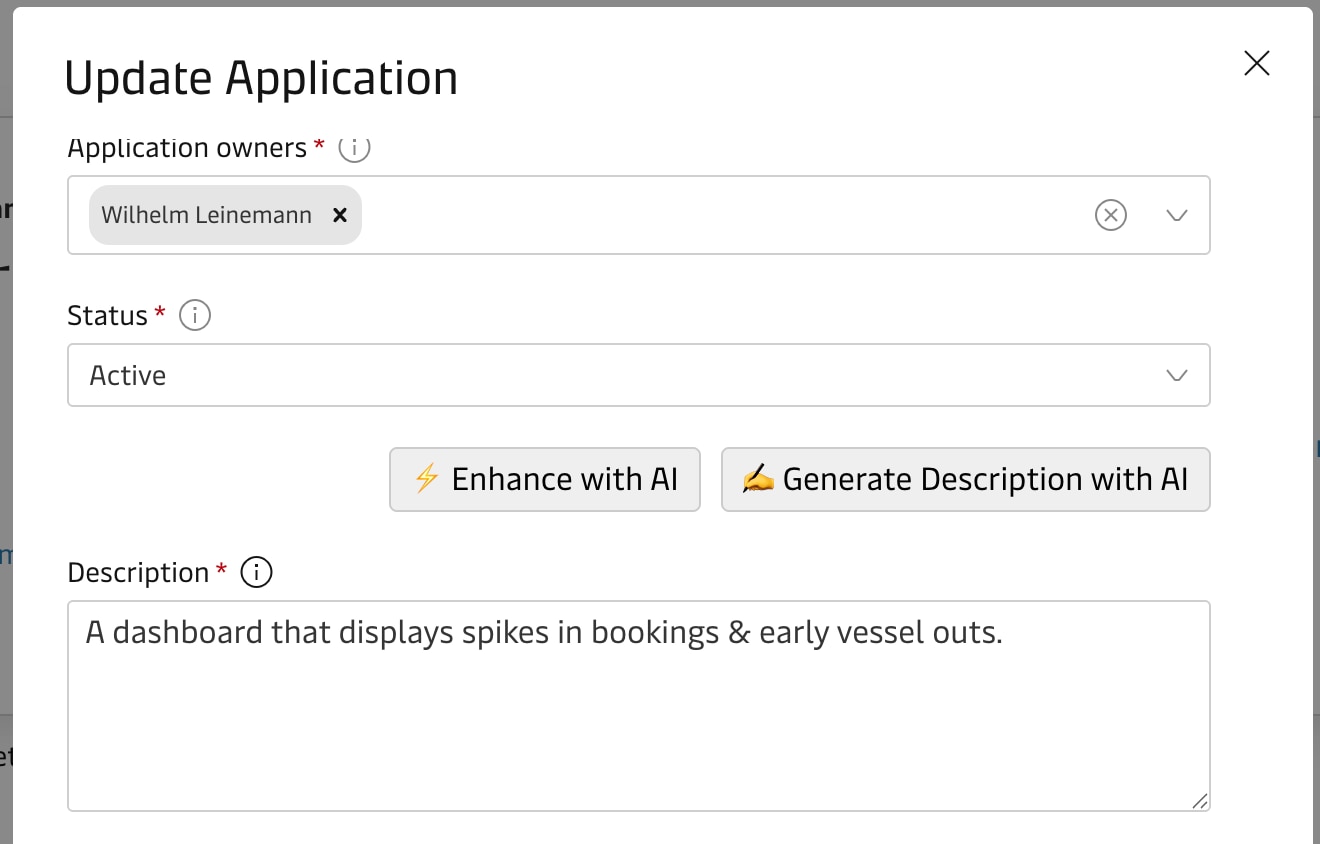
AI-Powered Description
- While updating an application, the system should provide the option to Enhance or Generate the description using AI.
- Helps ensure descriptions are clear, complete, and standardized across all apps.
- User can accept, edit, or regenerate the AI suggestion before saving.
-
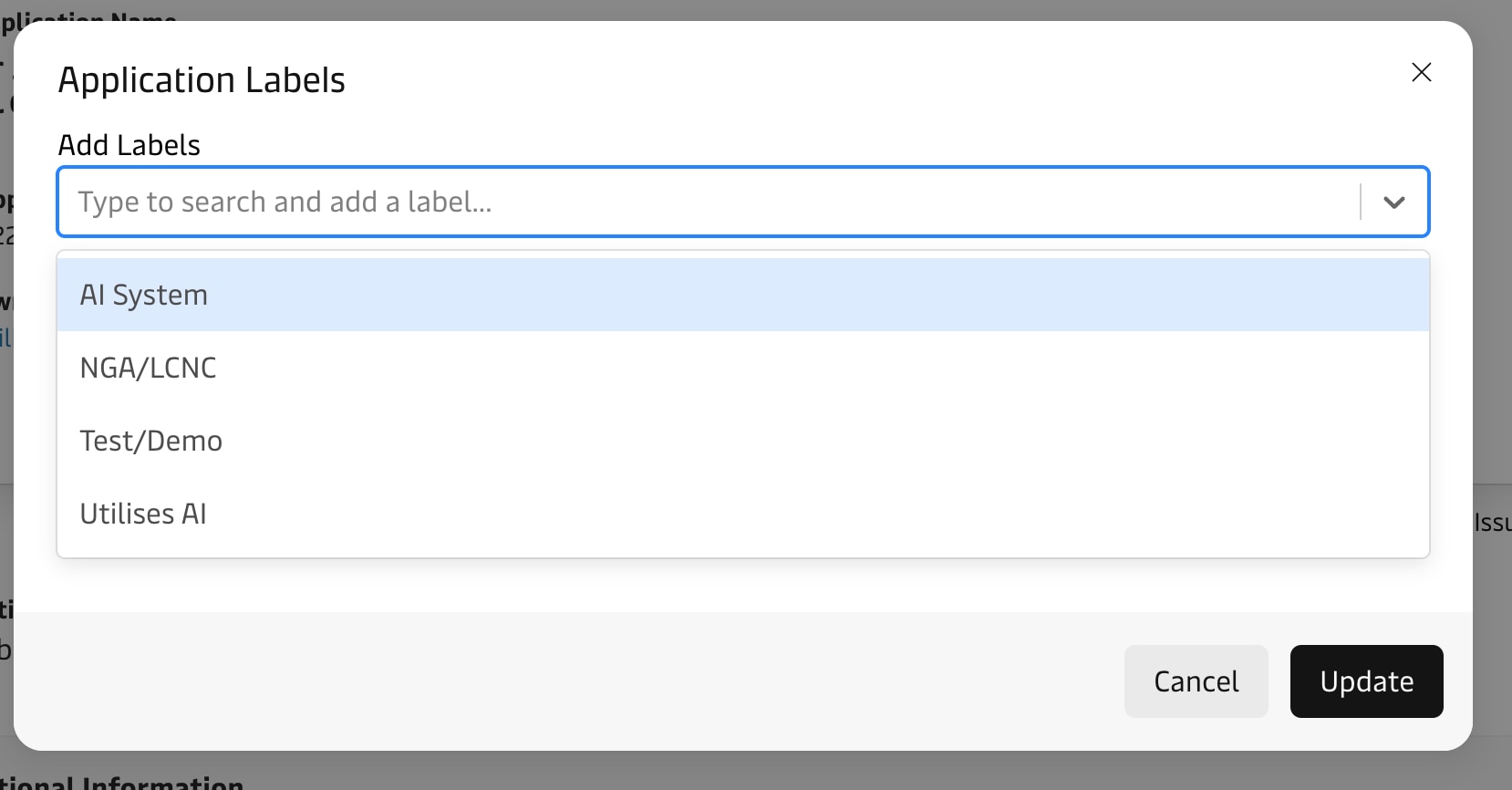
Default Label List
- A predefined list of commonly used labels is available during assignment of labels.
- The list is displayed in ascending (A–Z) order to improve readability and consistency.
- Users can still search the label to quickly find the desired label.
- Reduces repetitive manual entry and enforces consistent usage across applications.
2. Decommissioning Date Updates
When a Decommissioning Date is set or updated, the system should automatically apply the following changes:
- Set Verification Flag →
False - Set Status →
Inactive - Set Strategic Intent →
Decommissioned
This ensures the application state is aligned with the decommissioning process and prevents inconsistencies.
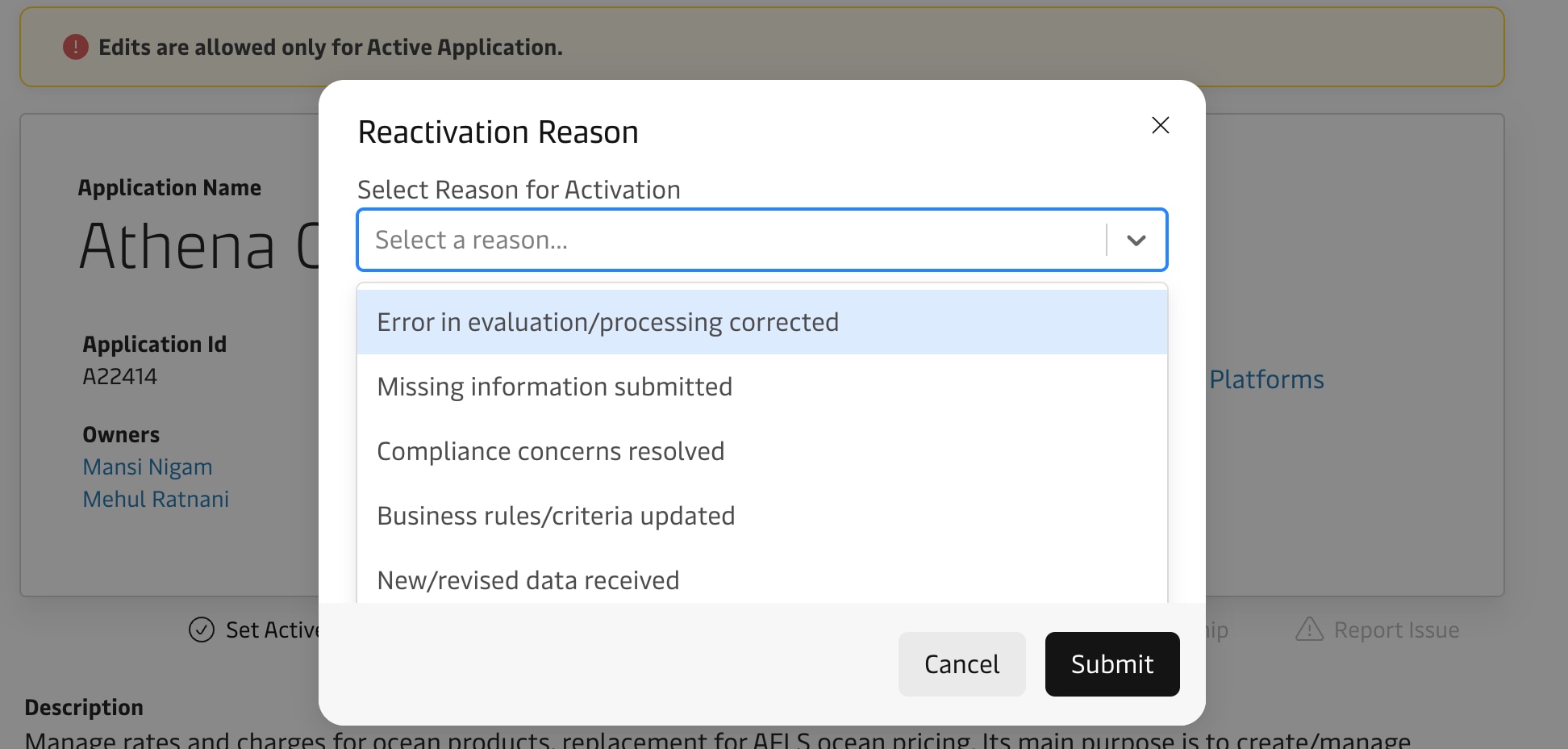
3. Transition from Inactive → Active
- When changing the application status from Inactive to Active, prompt the user to provide mandatory comments.
- This creates an audit trail explaining why the app was reactivated.
4. In-App Notifications for Verification
- In-app notifications are triggered for users who haven’t completed verification.
- Clicking the “Verify” call-to-action takes the user directly to the verification screen, identical to the experience when redirected via email.
- Notifications are persistent until the user completes the verification process.
- Notification logic follows the same timing rules as email reminders (e.g., X days before expiry).
This ensures consistent reminders, improved visibility, and measurable engagement.